
How to Automate Descriptive Answer Sheet Evaluation for Coaching Institutes
A step-by-step roadmap to implementing logic-aware AI grading software in schools, coaching centers, and assessment bodies to slash administrative burden.
While competitive prep centers have automated multiple-choice tests using OMR sheets, subjective and descriptive exams remain a major administrative challenge. Evaluating handwritten answer booklets for subjects like mathematics, physics, and chemistry takes days of dedicated teacher effort. This slow workflow causes bottlenecks that delay key feedback and disrupt mock exam preparation schedules.
Fortunately, modern edtech technologies make it possible to automate descriptive exam grading while maintaining high academic standards. Below, we break down the exact step-by-step process of implementing AI-powered answer sheet evaluation in your institution.
Step 1: The Digitization and Scanning Playbook
The first phase of the automated grading workflow involves converting paper booklets into digital formats. This is done by collecting completed answer sheets and scanning them. While it seems simple, optimizing the digitization step is crucial for high handwriting OCR accuracy.
To ensure high-fidelity inputs, institutions should configure their hardware based on these parameters:
- Scanner Resolution: Configure scanners to a minimum of **200 DPI (Dots Per Inch)**. While 300 DPI yields higher OCR transcription clarity, 200 DPI offers the optimal balance between image detail and file size for fast uploading.
- Color Optimization: Scan in **grayscale** rather than black-and-white. Grayscale scans preserve the pressure dynamics of pencil or pen markings, helping deep-learning models distinguish between standard handwriting and crossed-out calculations.
- Scanning Formats: Multi-page PDF or zip batches containing high-resolution JPEG files. Using auto-sheetfeed scanners allows admin staff to process stacks of 100+ pages without manual intervention.
Once digitized, these files are uploaded directly to the GradeSense platform in batch formats, keeping your data secure and organized by class, batch, or mock exam type.
Step 2: Defining the Grading Rubrics and Marking Schemes
To grade descriptive answers, the AI needs to understand the marking guidelines. Unlike generic models that guess grades, GradeSense operates on a specialized **Rubric Engine**. Teachers set the rules for each question:
- Expected keywords and steps: Input key formulas, theorems, and logical progression points.
- Partial credit allocation: Define exactly how many marks are awarded for intermediate steps, diagram labels, or correct final calculations.
- Negative marking: Set penalties for incorrect answers or rule violations if grading for competitive prep mock tests (JEE/NEET).
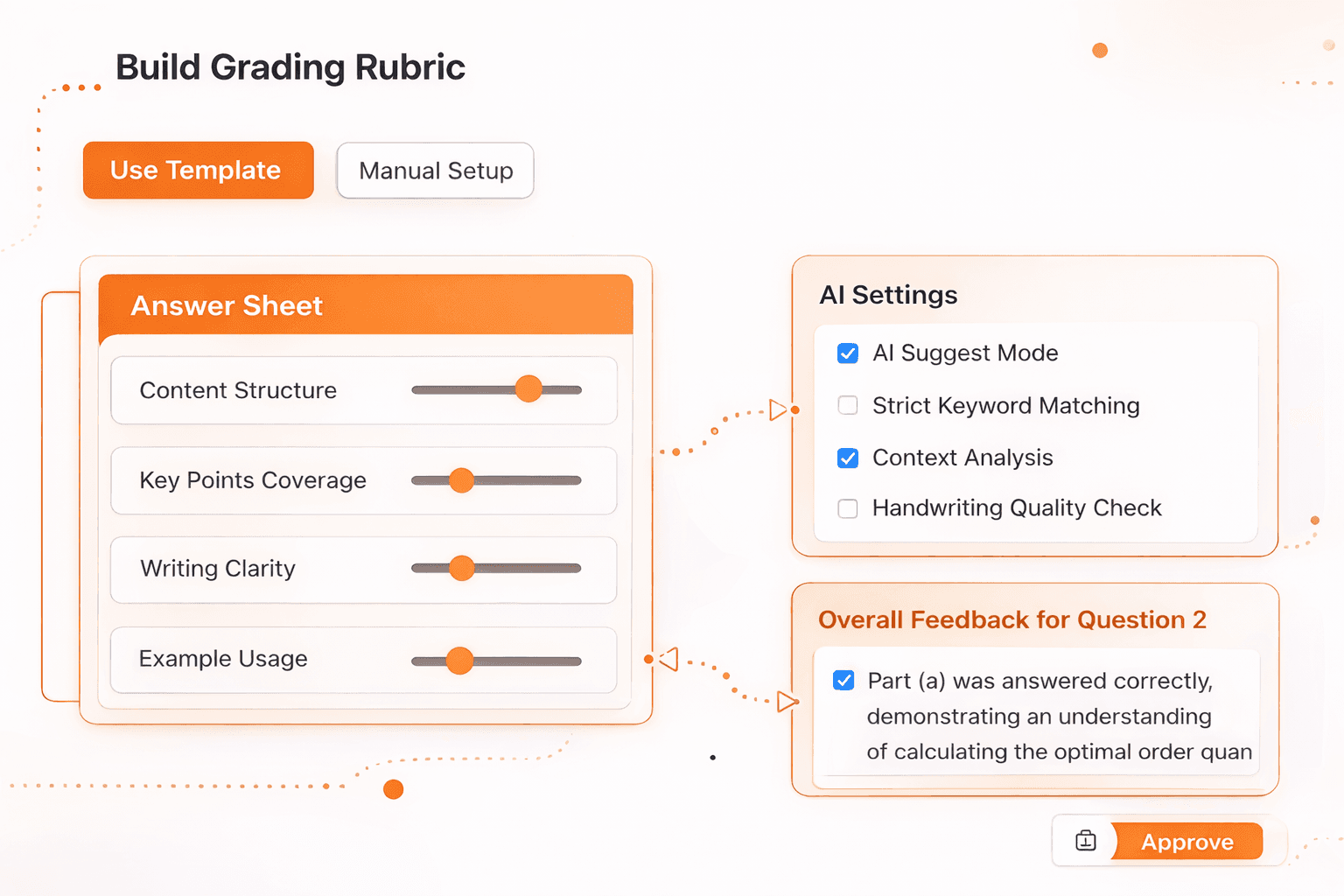
Figure 1: Setting up customized step-wise rubrics and expected final formulas in the GradeSense editor.
For descriptive science questions, the rubric can contain multiple branches. For instance, in a chemistry reaction question, the rubric may award 1 mark for the correct reactants, 2 marks for drawing the intermediate state mechanism, and 1 mark for the final products. The Rubric Engine allows teachers to codify this step logic once, creating reusable templates for future examinations.
Step 3: Run the AI Evaluation and Handwriting OCR
Once the scripts are uploaded and the rubric is assigned, the AI starts processing. The OCR engine reads the handwritten texts, translating student handwriting (including mathematical equations, symbols, and cross-outs) into structured digital content.
The evaluation engine then matches the student's solution against the criteria defined in the rubric. The AI calculates step marks, detects logical mistakes, allocates partial credit, and drafts personalized remarks explaining why marks were deducted. A batch of 500 papers is typically processed in under 30 minutes, representing a 10x speed improvement compared to manual grading.
During this stage, the AI flags any script where the handwriting transcription confidence score falls below a set threshold. These flagged papers are automatically routed to the top of the teacher's moderation queue for quick manual review, ensuring that no student is penalized for non-standard handwriting styles.
Step 4: Teacher Moderation & Direct Overrides
An automated assessment system must respect teacher authority. GradeSense implements a **human-in-the-loop** workflow. Once the AI evaluation is complete, teachers log into their dashboard to review recommendations.
The interface highlights precisely which sections of the student's answer matched the rubric and why specific marks were awarded. If a teacher disagrees with the AI's scoring recommendation or wants to add custom feedback, they can override the grade with a single click. The AI learns from these overrides, continually improving its accuracy for the next evaluation batch.
This moderation step is also valuable for enforcing **inter-rater reliability**. In large coaching networks with multiple branches, different teachers can grade with varying levels of severity. GradeSense acts as a baseline standard, grading every script across all centers against the exact same rubric criteria. This unifies grading standards, ensuring that a mock exam score in Delhi matches the severity of a score in Kota.
Step 5: Exporting Analytics & Releasing Results
With all evaluations finalized, grades can be exported or pushed to student portals. But the true value of digitization lies in data analytics. GradeSense provides institutions with detailed, cohort-level insights.

Figure 2: The analytical cohort performance screen showing average scores, question difficulty distribution, and overall class heatmaps.
Using the analytical dashboard, academic directors can instantly run:
- Question-level heatmaps: Identify which questions the majority of students failed to answer correctly to adjust teaching schedules.
- Cohort distribution graphs: Compare average scores across different branches or sections.
- Personalized gap reports: Generate automated lists of weak topics for each student to enable structured revision.
This level of diagnostic analytics allows schools to shift from general class instruction to targeted intervention, helping students address their individual conceptual gaps before final board or competitive tests.
Start Automating Your Assessment Workloads
Automating descriptive answer sheet evaluation does not remove teachers from the process—it frees them from repetitive grading admin so they can focus on teaching.
To see how coaching centers and schools throughout India are utilizing our pilot program to scale their exam grading capacity, visit our pricing page or book a quick, personalized platform demo.
Written by
Ayush Poojary
Founder, GradeSense